New: Hot Times and Gap Deals. Here's how to golf for less on the booking calendar
Shotgun Golf
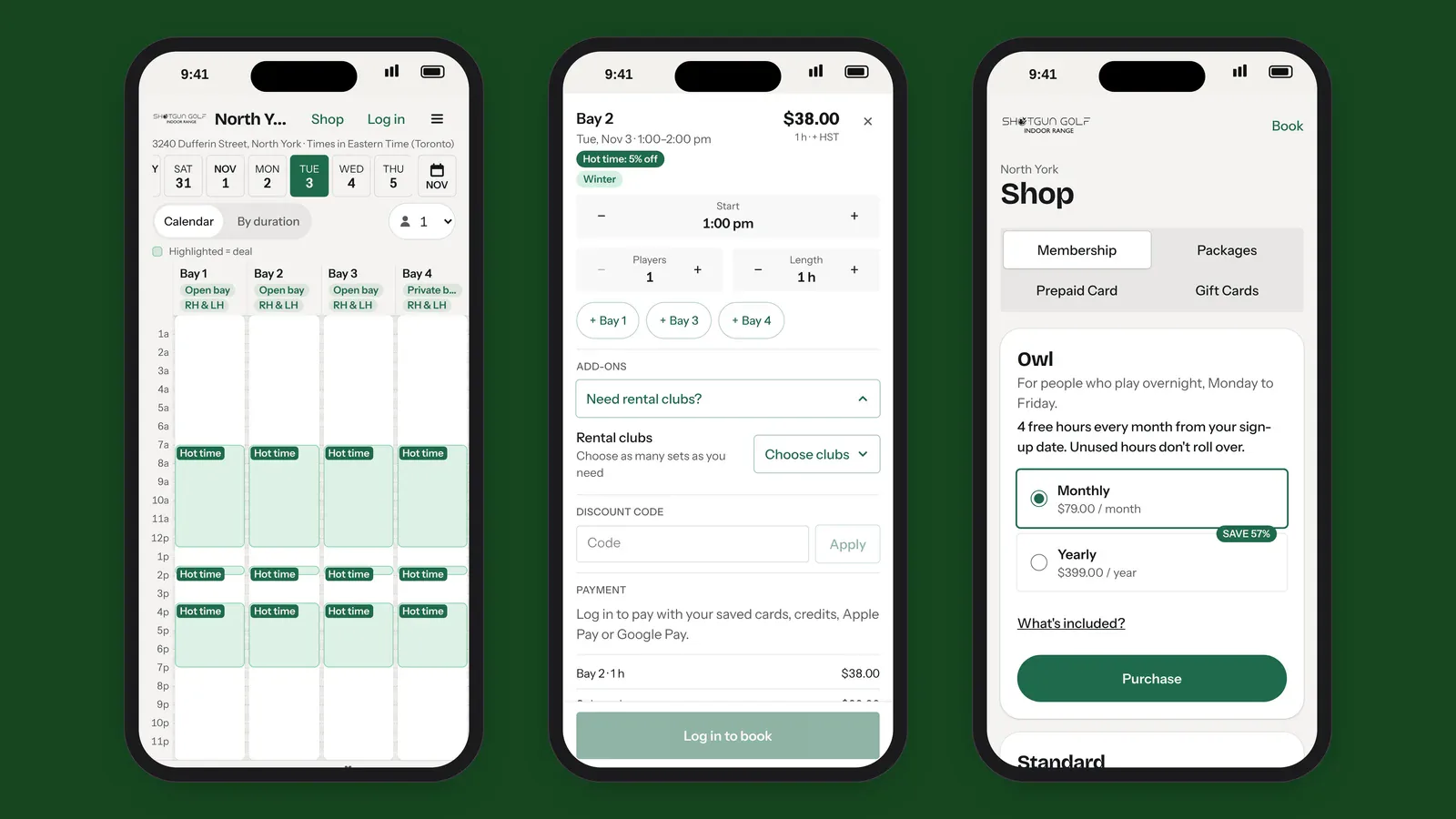
Three iPhones showing the new Shotgun Golf booking site: the North York calendar with Hot times, the booking sheet with rental clubs, and the membership shop

Blog3 min read

A Tour of the New Shotgun Golf Booking Site

Three-tap booking, Hot times, rental clubs at checkout, door unlock from your phone, memberships and more. A screen-by-screen tour of our new booking site.

Our new booking system is built for how you actually book a bay: on your phone, often late at night, sometimes standing at the door. Here's a tour of everything it does, using our North York club as the example.
Book in three taps

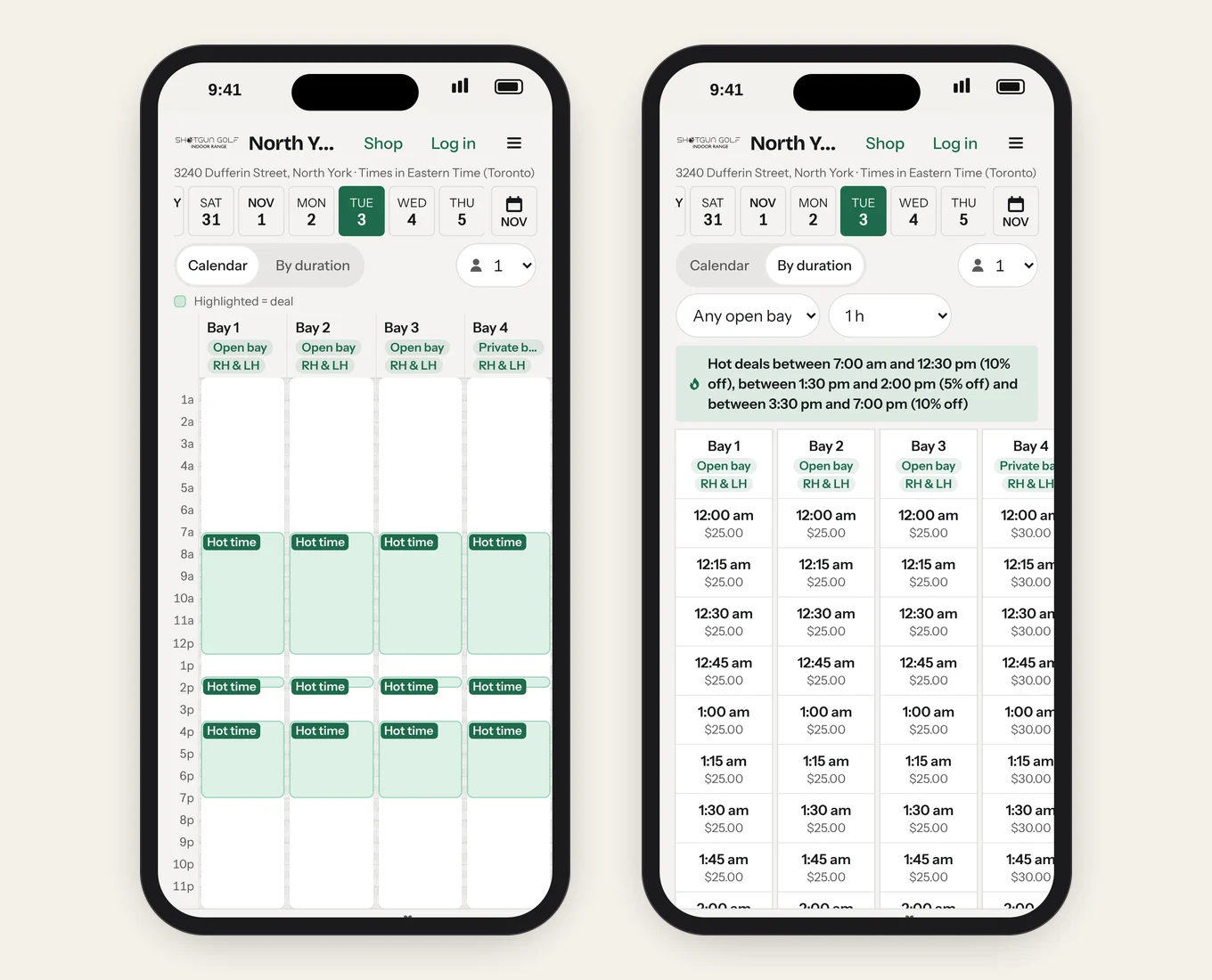
The North York booking calendar, with Hot time deals highlighted, and the By duration view listing every start time and price

Open the booking page, pick your club, and the calendar shows every bay for the day.

  • Pick a time, check the price, book. Prices are shown up front, before you log in, and update as you change players or length.
  • Calendar or By duration. Prefer to choose how long you want to play first? By duration lists every start time that fits, with its price.
  • More than one bay at once. Bringing a bigger group? Add the bay next door from the same booking sheet with one tap.
  • Walk-ins welcome. Scan the QR poster at the club to open the booking page on today's date and book on the spot.

Hot times and gap deals

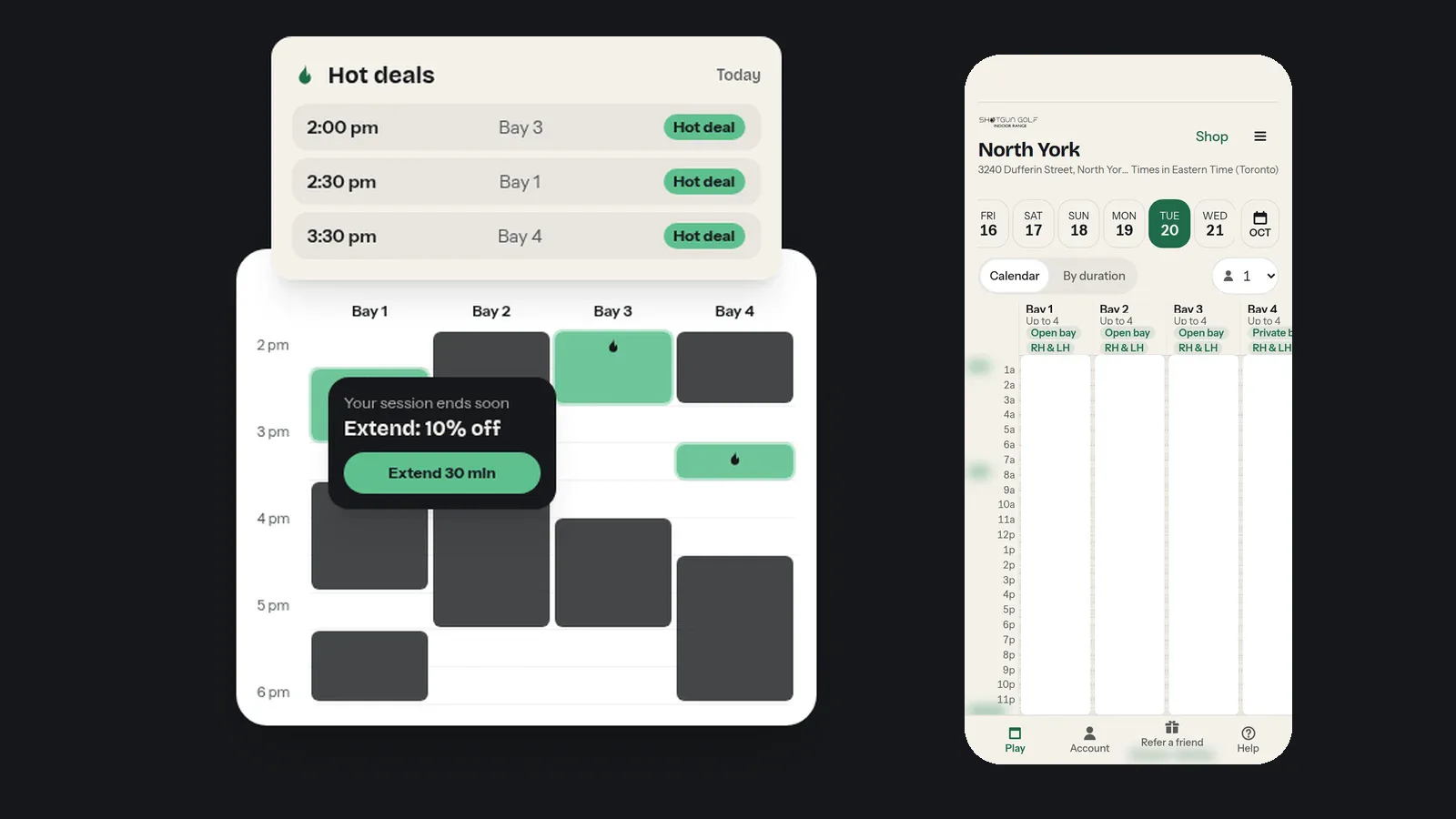
Quieter hours are discounted automatically. They're tinted on the calendar and badged Hot time, and By duration lists the day's Hot deals at the top. Short gaps between bookings become Gap deals, and when your session is ending and the bay is free after you, you may be offered a discount to extend.

More in Hot Times and Gap Deals.
Everything in one booking sheet

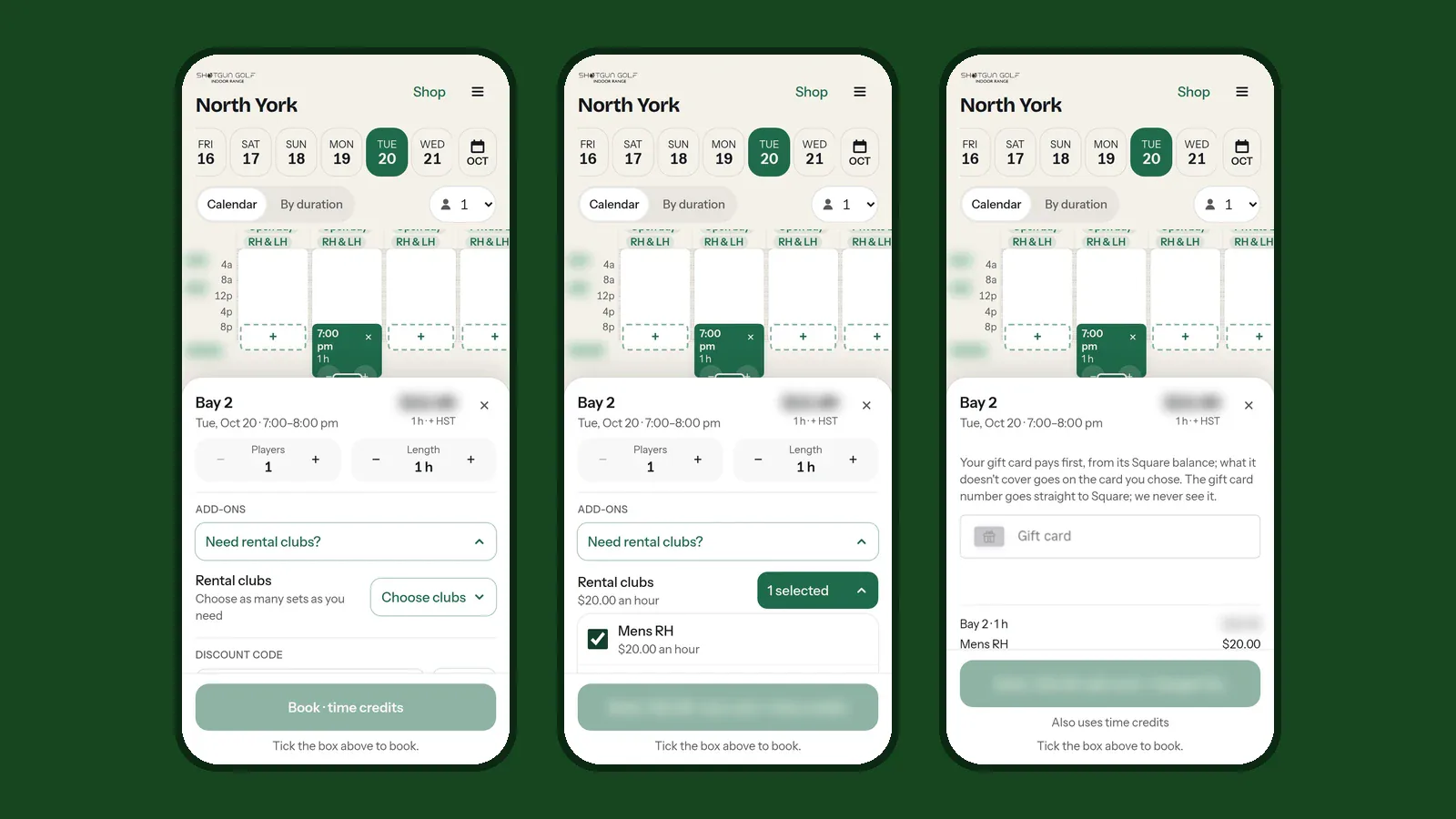
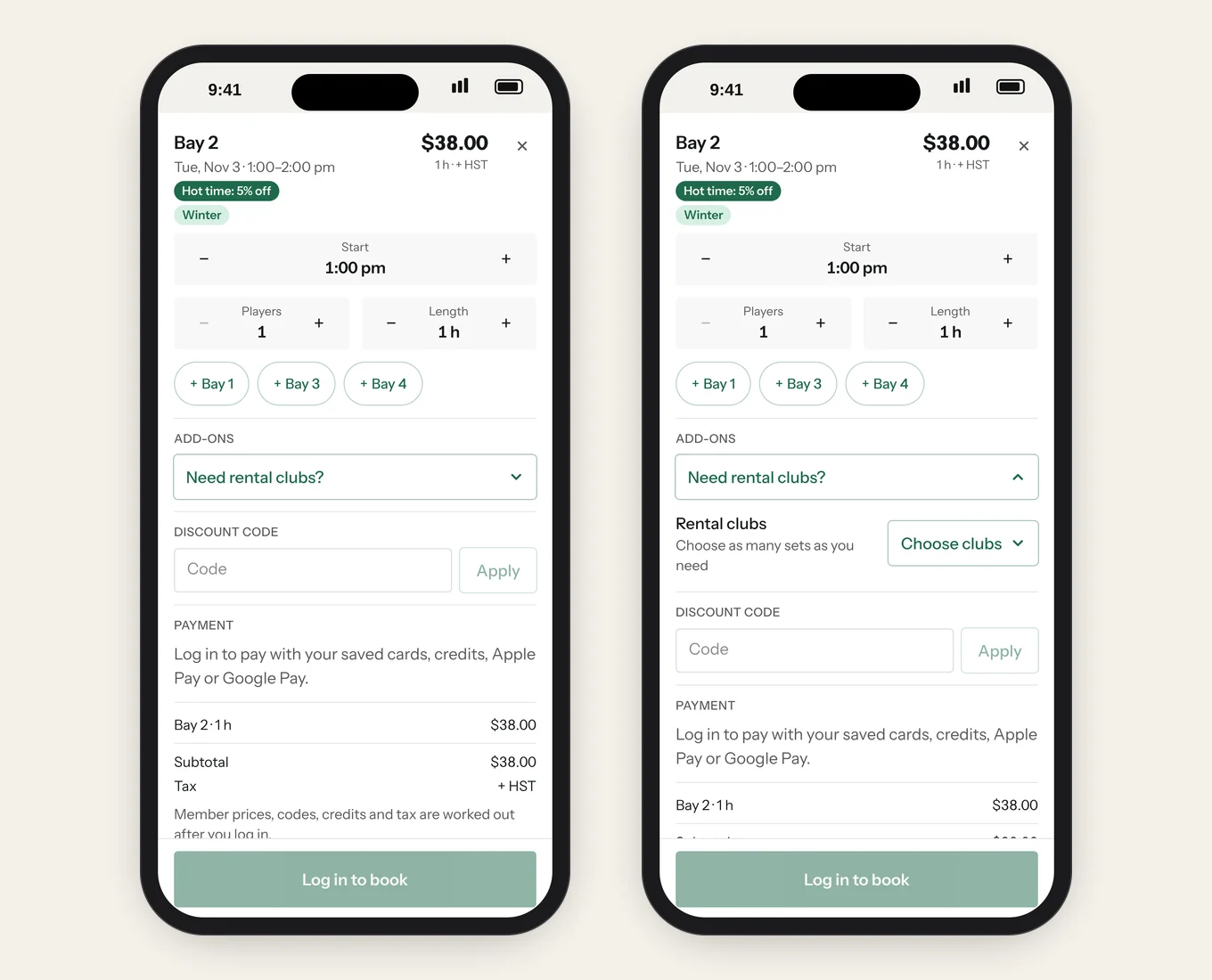
The booking sheet: start time, players and length, extra bays, rental clubs, discount code and payment

Tap a time and the booking sheet slides up with everything in one place:
  • Start, players and length, each with a plus and minus button.
  • Rental clubs and extras under Add-ons. Choose the sets you need and they're added to your total. See how to get rental clubs.
  • Discount codes and promotions, applied before you pay.
  • Pay your way: membership hours, hour packages and prepaid credit pay first, then a card, Apple Pay or Google Pay. Gift cards work too.
  • Waivers before you arrive. Agree to the waiver and terms when you book, and send each player their own link to agree from their phone.

Getting in, and changing plans

  • Unlock the door from your booking. An Unlock door button appears shortly before your start time, and your bay starts up for your session on its own. See door access.
  • Bring friends. Send each guest their own door link so they can let themselves in.
  • Reminders by email and text, sent at the right moment, plus a calendar file for your phone.
  • Change it yourself. Move, extend, add players or clubs, or cancel from Account › My Bookings, under our cancellation policy.
  • A bell on the booking page shows anything that needs you, like a card to update or a plan that's ending.

Memberships, packages and prepaid cards

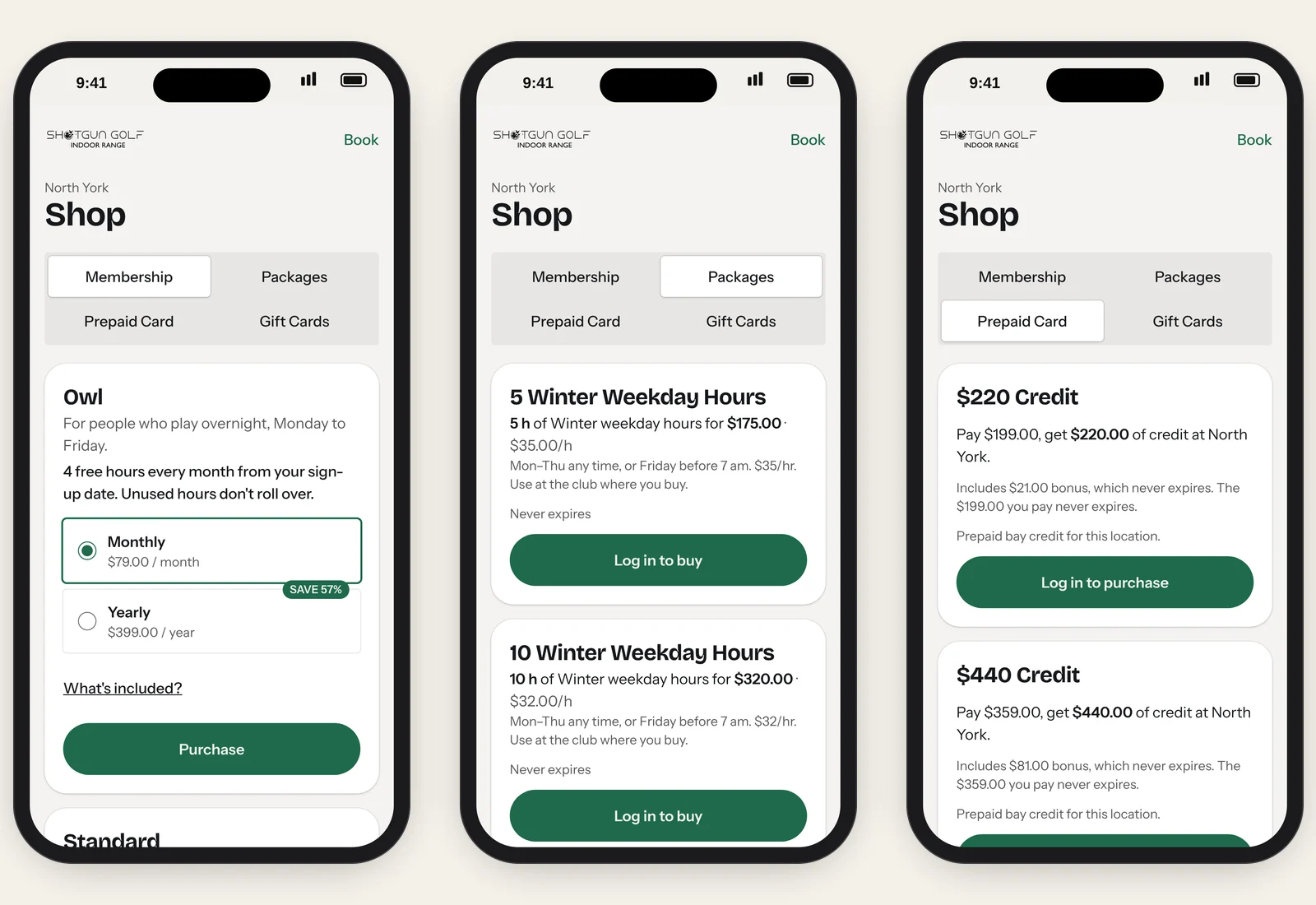
The North York shop: membership plans with monthly or yearly billing, winter hour packages and prepaid cards with bonus credit

Tap Shop for everything you can buy ahead:

  • Memberships with monthly or yearly billing that renews on its own. Member prices and earlier booking apply as soon as you join, and your discount works at every Shotgun Golf location.
  • Hour packages: blocks of weekday or anytime hours at a lower hourly rate.
  • Prepaid cards: pay upfront and get bonus credit that never expires.
  • Gift cards for the golfer in your life.

Everything you hold sits in your Wallet, with the hours and credit for each location.

Events, rewards and referrals

  • Events, clinics and tournaments sell seats right on the booking site, with a waitlist that tells you when a seat opens.
  • SG Points come with every paid booking and purchase once you join Rewards. See the rewards page.
  • Refer a friend from the menu: you each get credit after their first paid visit, plus points for rewards members.

Help when you need it

Tap Help at the bottom of the booking page for step-by-step guides with real screens, or start with how to book a time. You log in to the guides with the same mobile number you book with. Questions? Our FAQ has the short answers, or contact us.

Ready? Book a bay.

Keep reading

More from the blog

Some Call It a Simulator. We Call It Your Sanctuary.

Plan your game on your time. Our app lets you book bays instantly, invite friends, and track your performance—all from your phone.

Golfer finishing a swing in a Shotgun Golf bay